 Auto Dialer & Call Centre Software
Run your whole call centre from one simple screen.
Auto dialing, IVR “Press 1” campaigns, an AI agent that talks to customers, inbound lines, live monitoring and call recordings — in one web software that works on your computer, tablet and phone. Agents need only a browser and a headset.
- Progressive
- Predictive
- AI agent
- IVR Press 1
- Inbound
- Recordings
Everything your calling team needs, in one place
Connsol dials your lists by itself, connects only the answered calls to free agents, plays voice messages to thousands of customers at once and shows you everything live. Managers see the floor in real time; agents see only the next customer.
It installs on your own server from a simple installer — Asterisk, the web screens and the database come together — and it is built and supported by Group Takey in India.
Built for busy calling floors
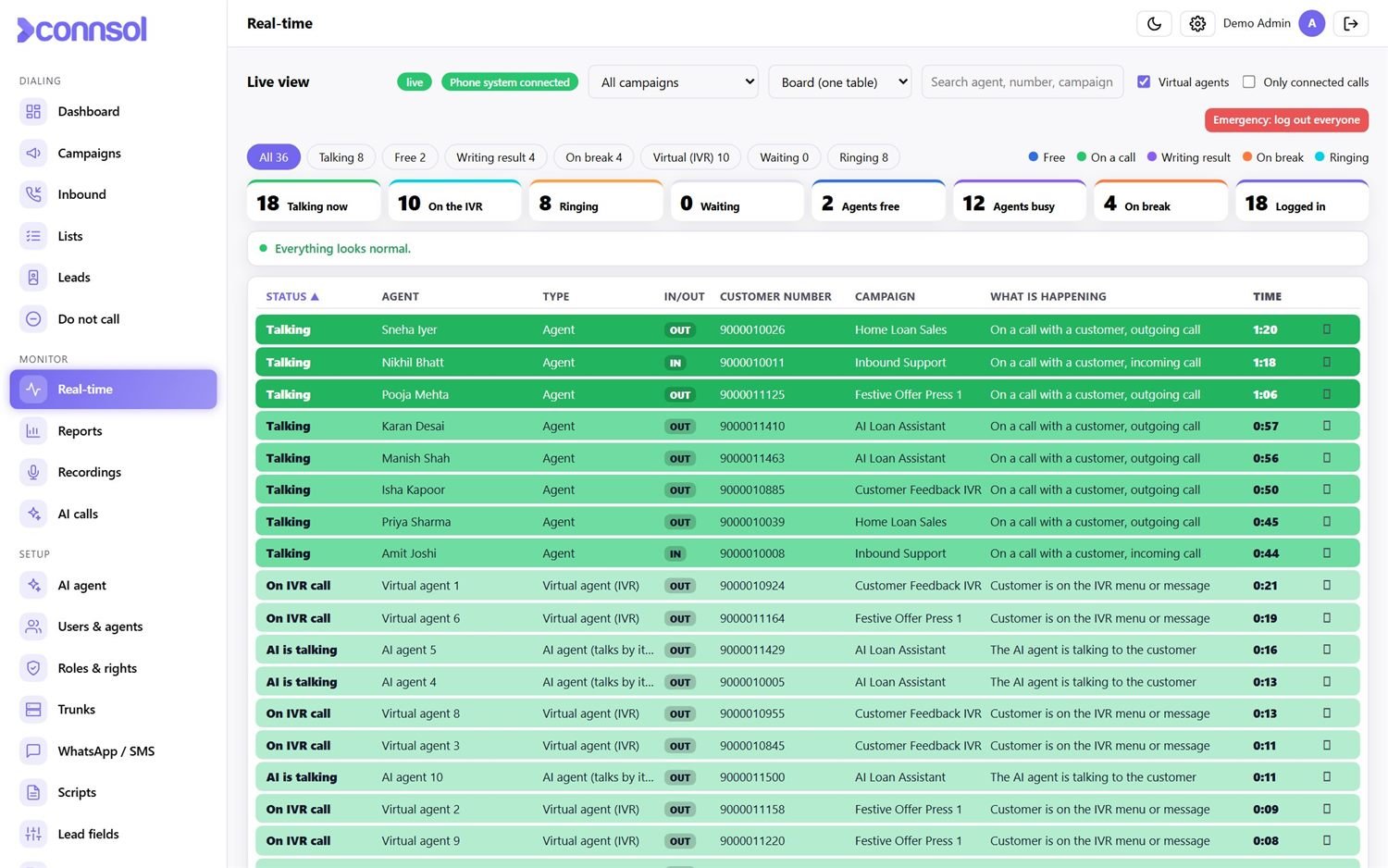
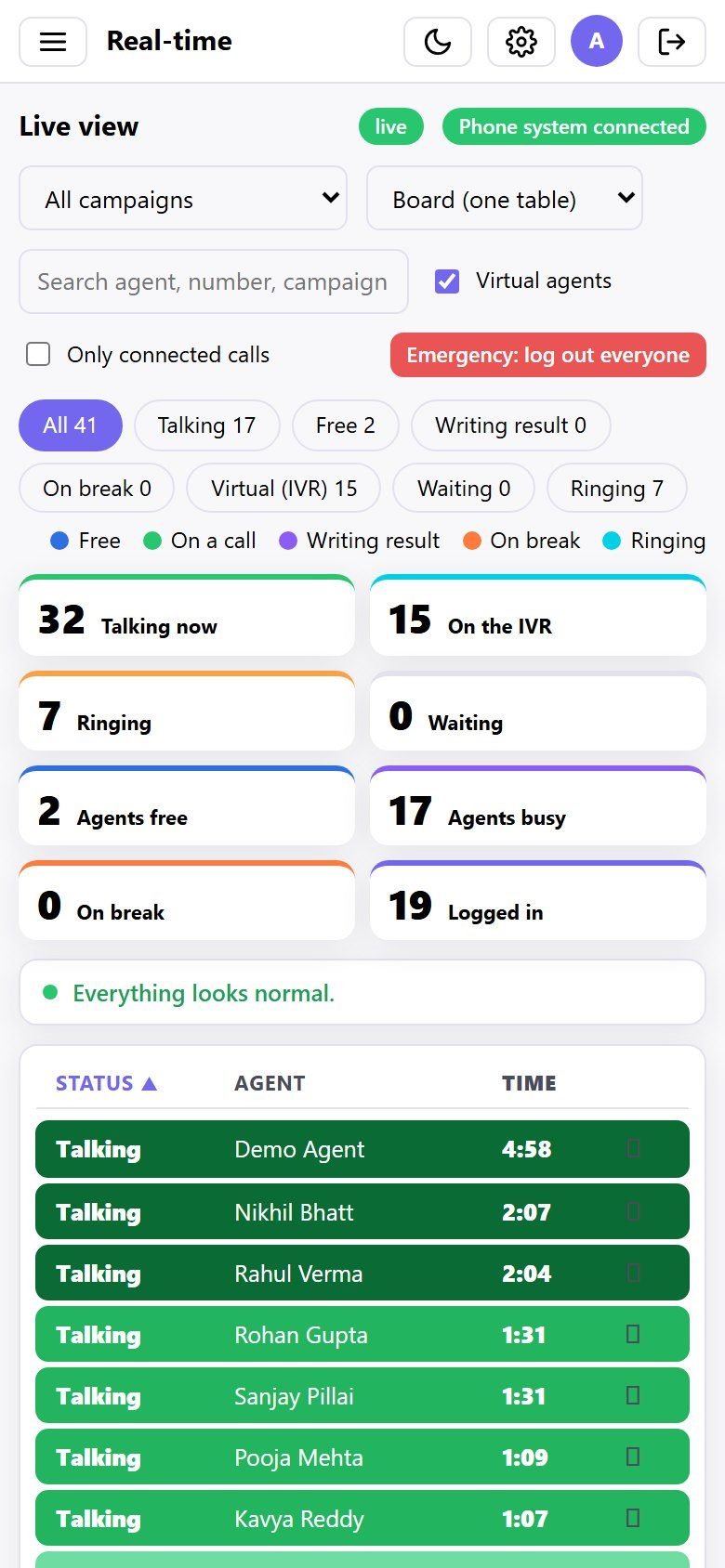
See every agent and every call as it happens.
The real-time board shows who is talking, ringing, free, writing the result or on a break — with colours and timers.
- Board, wall, tiles and classic views
- Warnings for long breaks, idle agents and long waits
- Click an agent or a call for the full detail
- Hang up a stuck call or log an agent out in one click
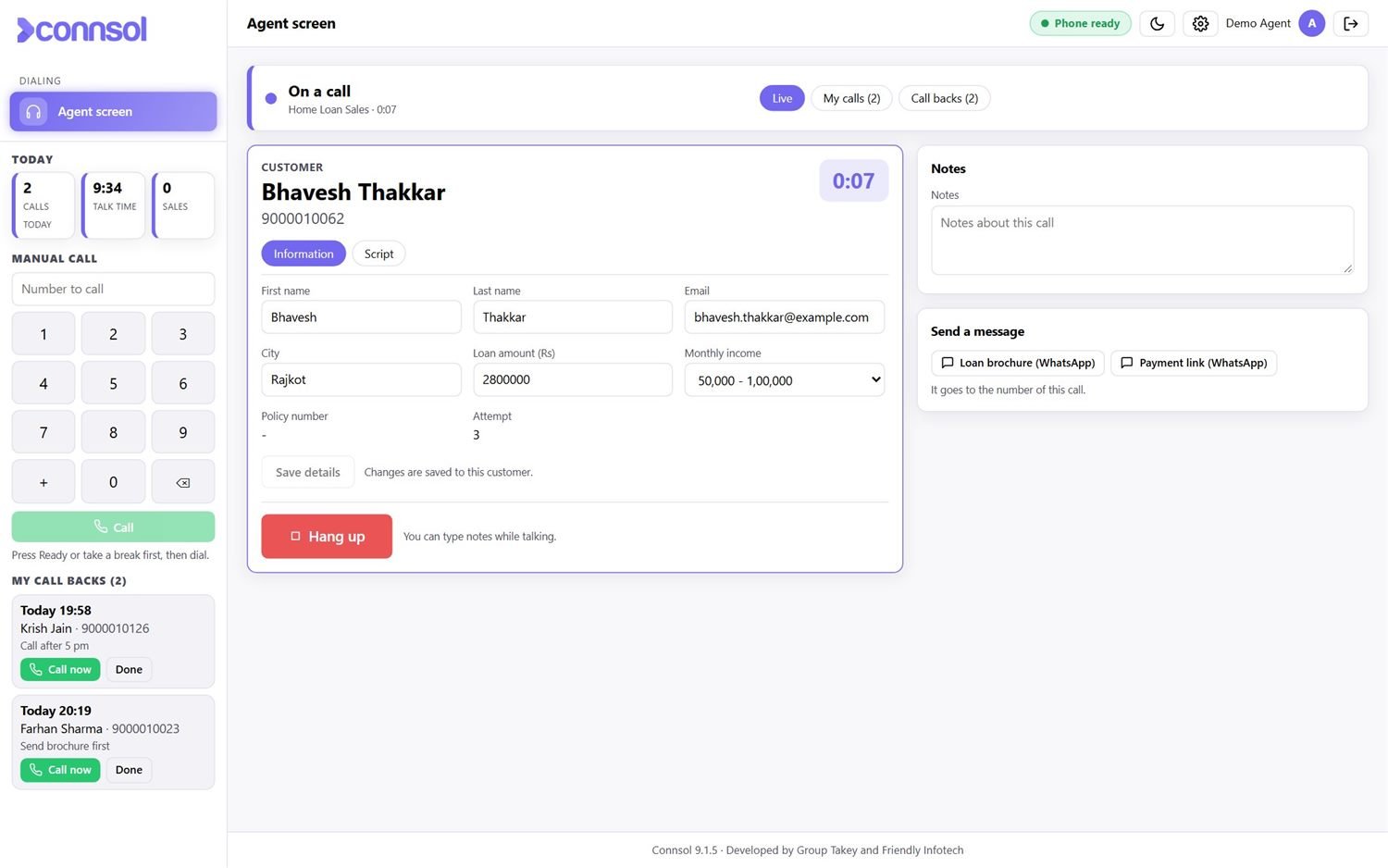
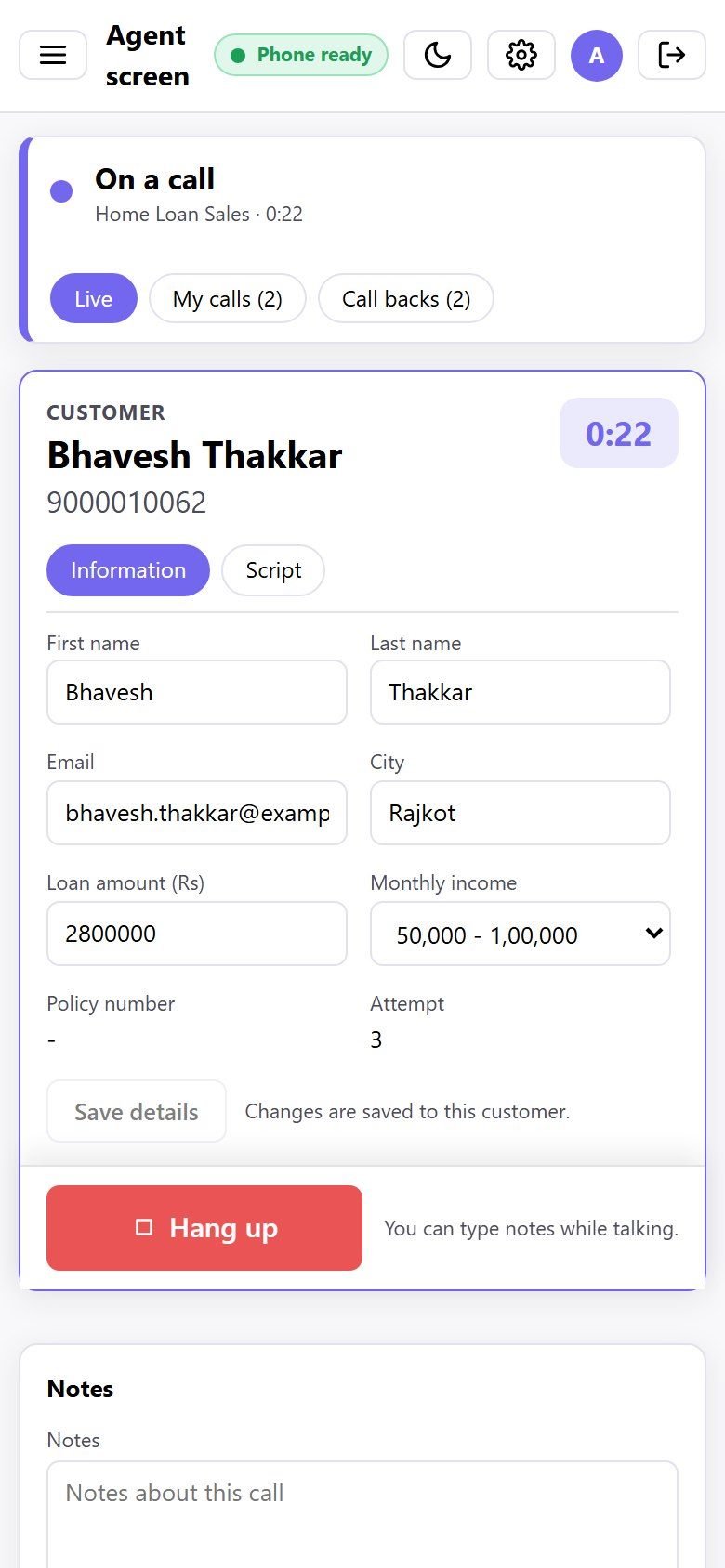
Everything the agent needs, on one calm screen.
The customer’s details open the moment the call connects. The agent types notes, sends a WhatsApp, reads the script and picks the result.
- Built-in browser phone, ready / break / on-call status
- Manual dial pad, call backs with reminders, “My calls” history
- Your own lead fields and a script for every campaign
- Works on a phone too — light and dark mode
Campaigns that dial by themselves.
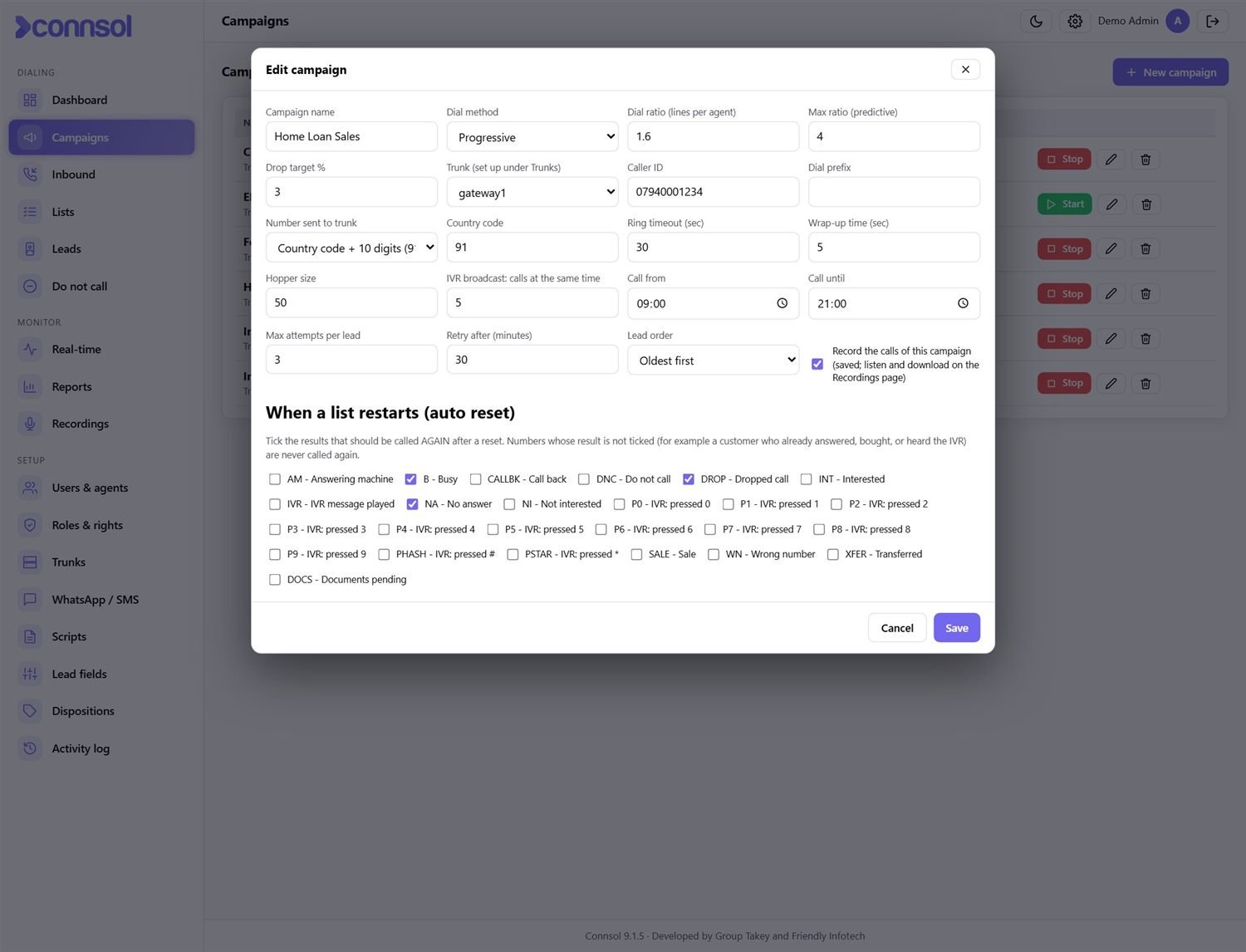
Every campaign has its own dialing method, trunk, caller ID, calling hours and retry rules. Start and stop with one tap.
- Progressive and predictive with an adaptive ratio and drop-rate limit
- Lists upload from Excel / CSV and restart automatically (rounds)
- Schedule a list to start and stop by itself
- Do-Not-Call list respected by every campaign
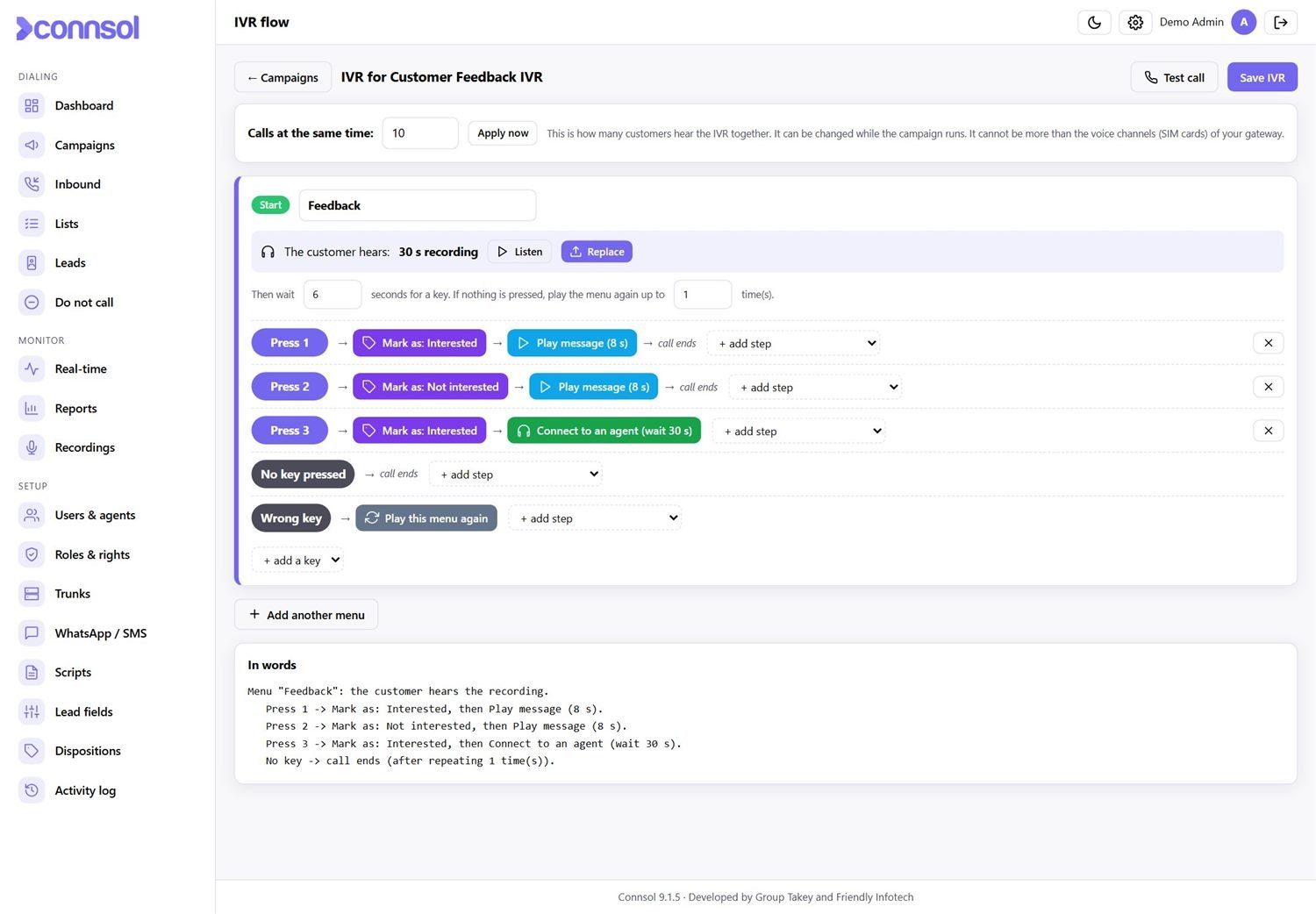
Press 1 for interested. Press 2 if not.
Call thousands of customers with a recorded message and let them reply with a key. Build the flow by clicking — no coding.
- Menus, keys and messages in a visual builder
- Key results: mark the lead, add to Do-Not-Call, send a WhatsApp or connect to an agent
- Run many calls at the same time (as many as your lines allow)
- IVR key reports for every campaign
An AI that talks to your customers for you.
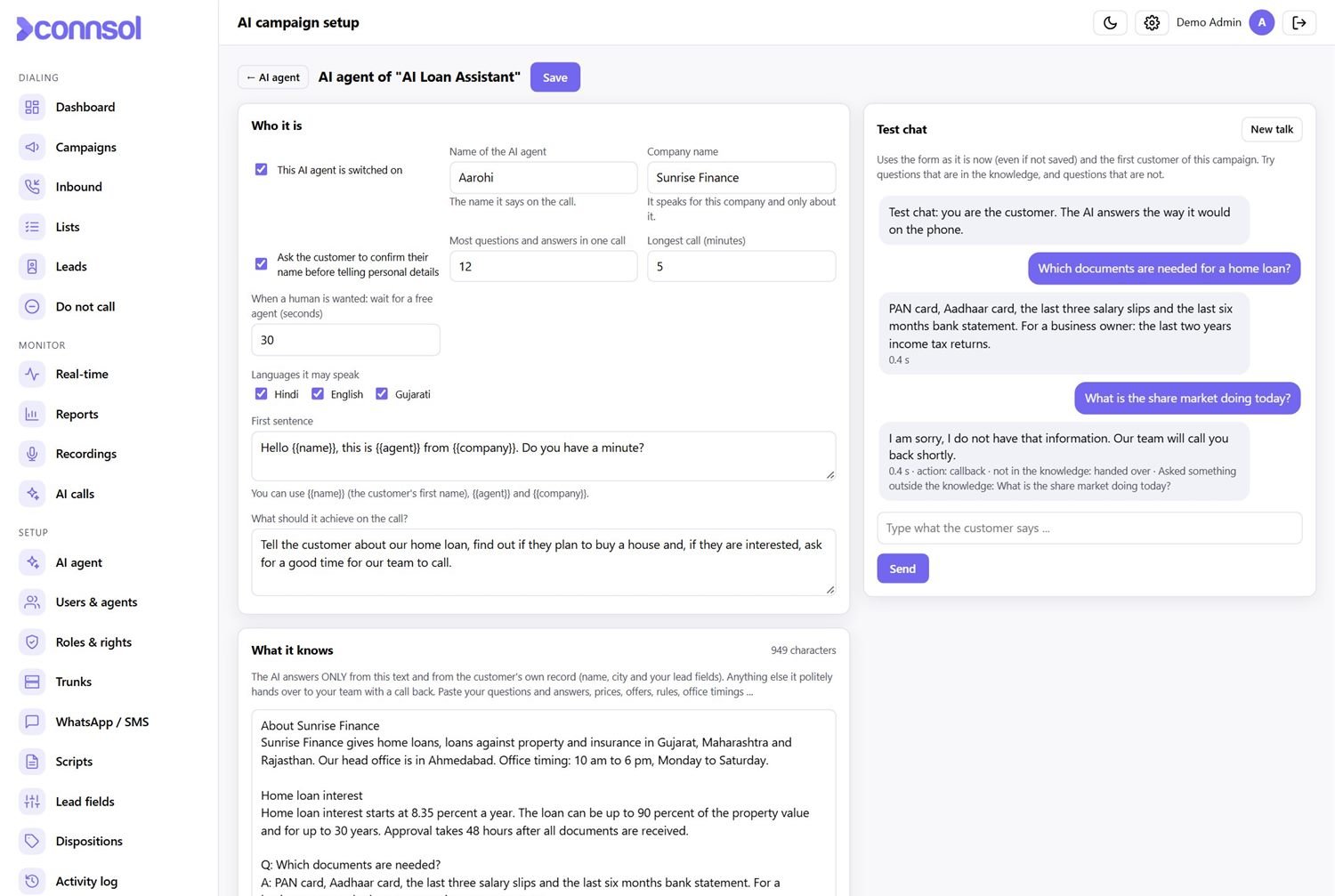
Instead of a recorded message, the AI agent speaks with the customer in Hindi, English or Gujarati and answers their questions. It uses only the information you give it, and hands everything else to your team.
- You paste your own questions, answers, prices and rules: it answers only from them
- Tells the customer their own details (after they confirm their name)
- Puts the customer through to a human agent, books a call back or marks Do-Not-Call
- Test chat to check the answers before going live; every call is saved as text
- Free AI on your own server (no internet, no cost per call) or an online AI service: switch with one setting
Answer your customers faster.
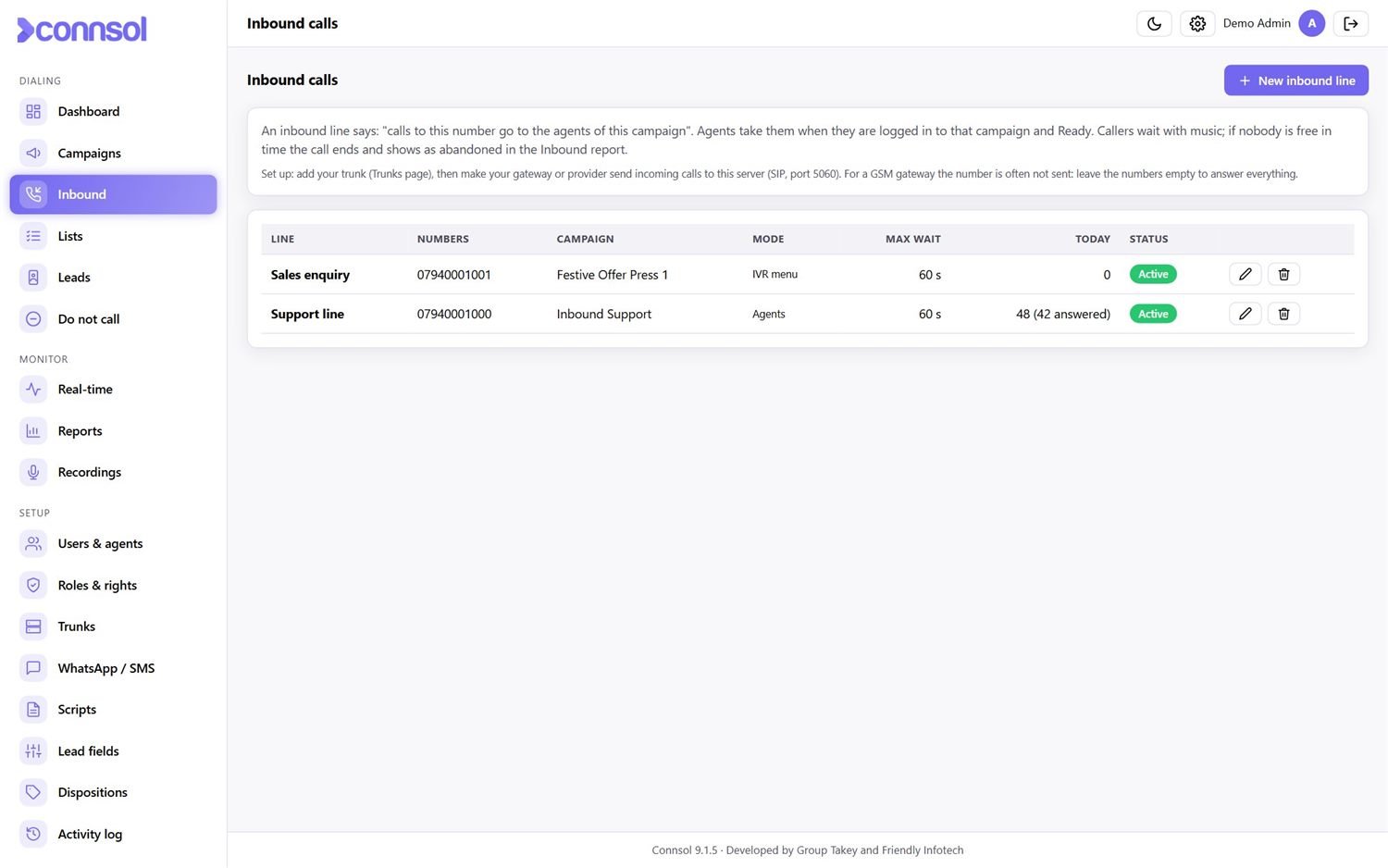
Point your numbers to Connsol. Calls go to the first free agent of a campaign, or to an IVR menu first.
- Several inbound lines, each with its own campaign
- Callers wait with music; maximum waiting time per line
- Reports for answered, waiting and abandoned calls
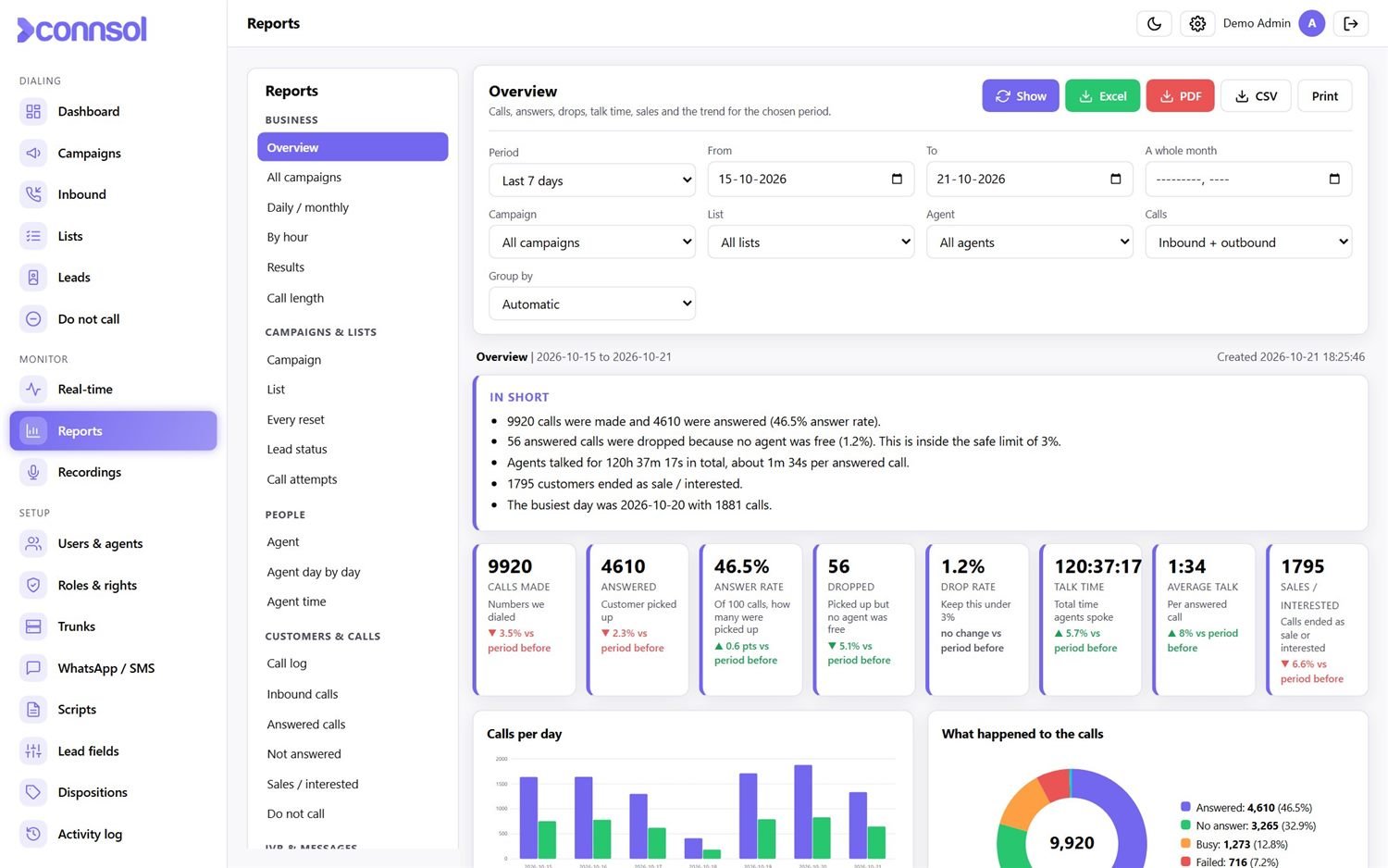
Know your numbers — by day, hour, agent and campaign.
27 ready reports with charts and plain-language summaries. Nothing to set up.
- Overview, daily / monthly, by hour, best day of the week, results, call length
- Agent performance, agent productivity per hour, agent day by day, agent time
- Sales funnel from call to sale, dropped-call watch against the 3% limit, AI agent calls
- Campaign, list, lead status and every-reset (round) reports
- Export to Excel, PDF or CSV, or print
- Email any report with one click, or get chosen reports in your inbox every day
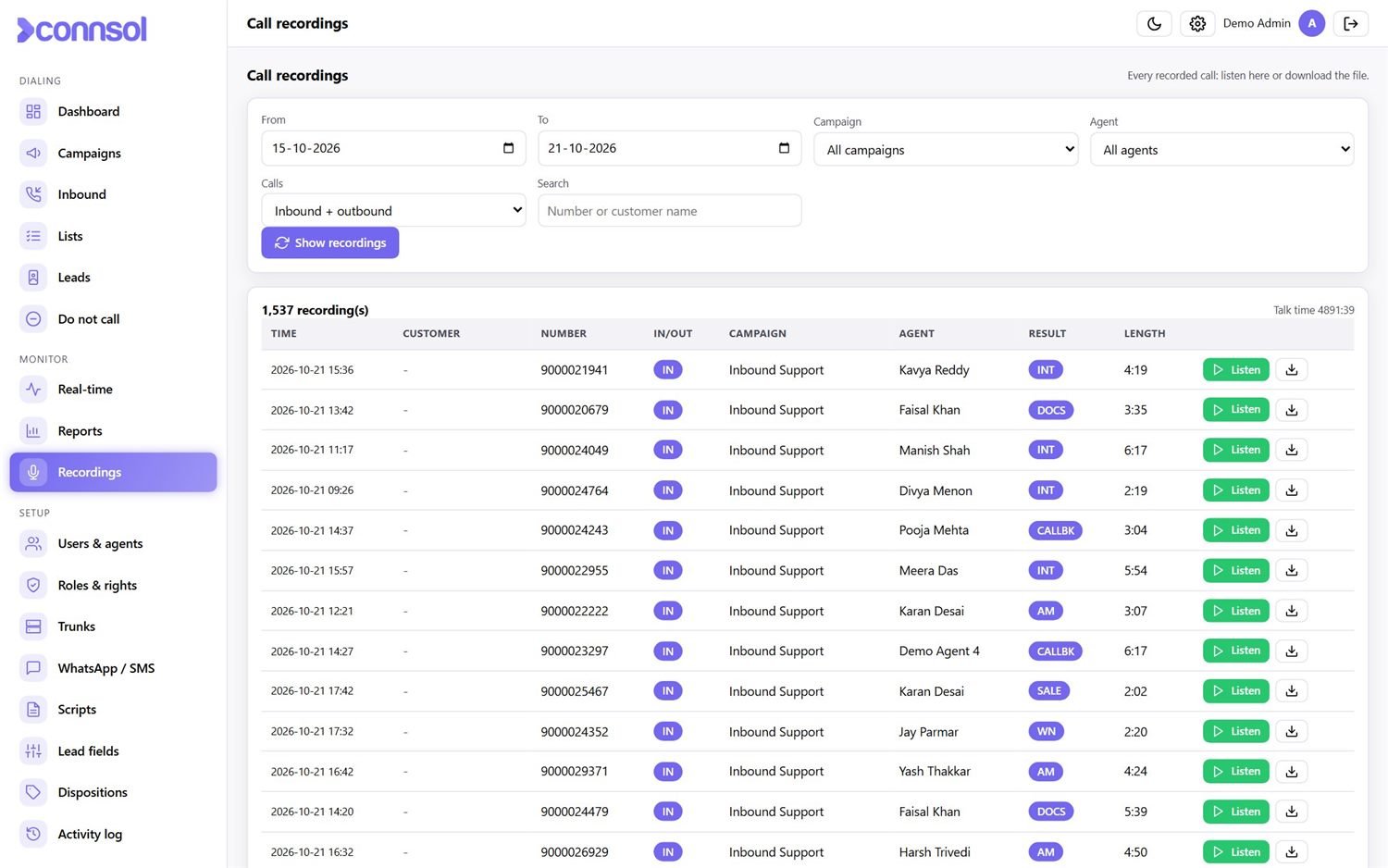
Listen to any call. Download it if you need it.
Tick “Record the calls” in a campaign and every call is saved. Admins and managers search by date, campaign, agent or number.
- Play in the browser, with seek
- Download the file with a clear name
- Separate access right — only the people you choose
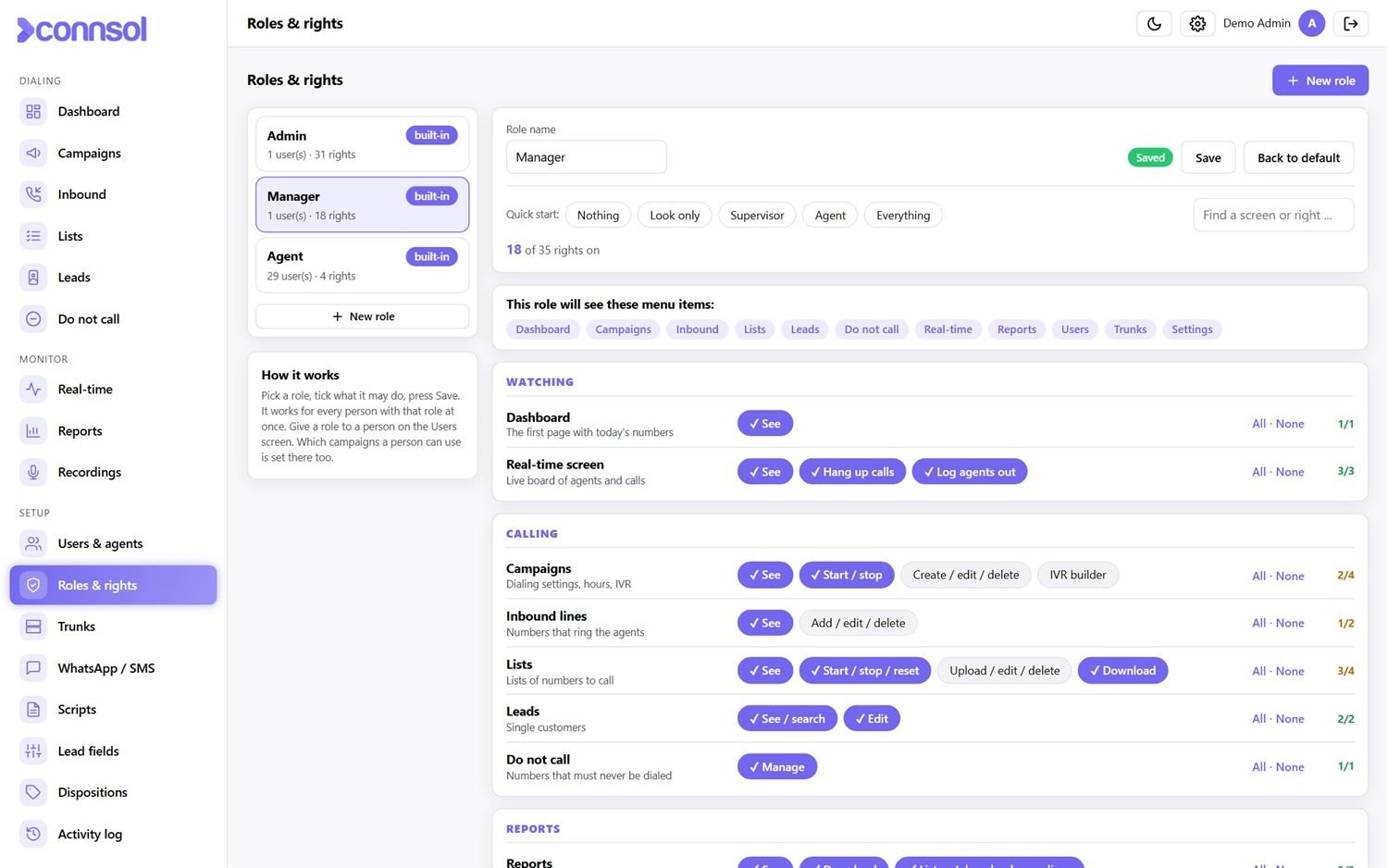
Decide who can do what.
Admin, manager and agent are ready. Build your own roles from 35 separate rights, and give each person only their campaigns.
- Supervisor, auditor, team leader … any role you need
- Per-user campaigns: people see only their own work
- Activity log of who did what and when
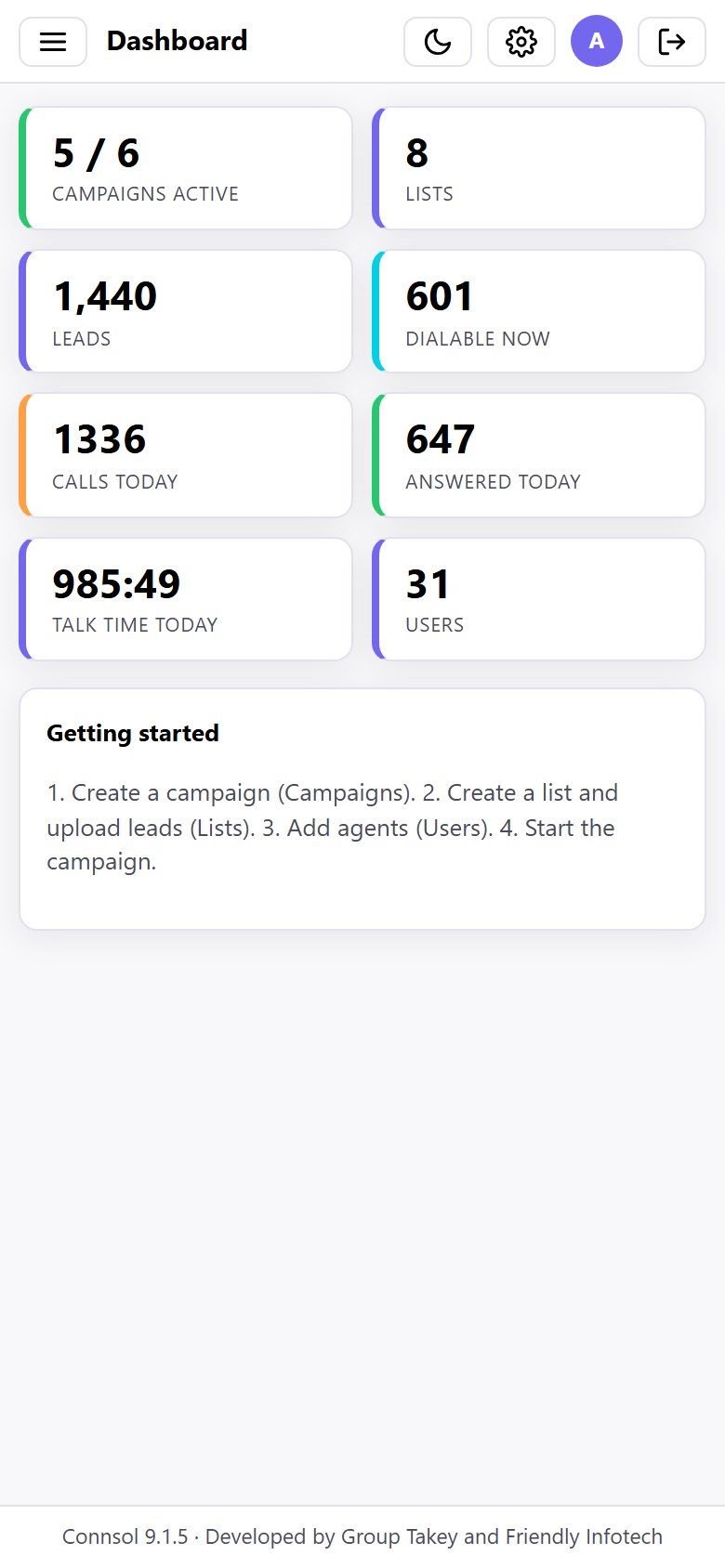
The same full screens on a phone
Admins, managers and agents can work from a phone or tablet. Compact tables, big buttons, light and dark themes.
The small things that make a calling floor run smoothly
WhatsApp & SMS
Templates, automatic messages after a call or IVR key, and one-tap sending by agents.
Scripts
Write what agents read, filled with the customer’s name and fields.
Call backs
Agents promise a time and Connsol reminds them before it is due.
Do-Not-Call
One list that every campaign respects; customers can opt out from the IVR.
Trunks
GSM / SIP gateways and VoIP providers, with live status.
Licence control
Lifetime or term licence with an agent limit, bound to your server.
Made for every kind of calling team
Sales & lead calling
Progressive or predictive dialing, scripts, call backs and a sales result for every call.
Reminders & surveys
IVR broadcast for EMI, renewal, offer and feedback calls with “Press 1” replies.
Customer support
Inbound lines with waiting time, recordings and agent-wise reports.
See the real screens, with sample data
Open the demo, sign in with a demo account and click around. Nothing you do is saved, and no calls are made.
Admin login
Username: admin · Password: Demo@123 — campaigns, lists, real-time board, reports, recordings, users and roles.
Agent login
Username: agent · Password: Demo@123 — choose a campaign, press Ready and take a sample call.
Getting started is simple
We install it
On your server, from a simple installer. No special skills needed.
Connect your lines
Add your GSM gateway or VoIP provider as a trunk.
Add agents & lists
Create logins, upload your customer lists, set the campaign.
Start dialing
Agents press Ready and the calls start coming to them.
See Connsol running in your calling team
Ask us for a demo with your own campaign, or get the brochure.
Connsol for Indian businesses
Connsol is built for the way Indian teams call: GSM gateways and SIP trunks, 10-digit numbers with the country code added for you, calling hours, Hindi / English / Gujarati-speaking support and WhatsApp for follow-up. You get local installation, training and support from Group Takey.
Group Takey is an Ahmedabad-headquartered IT company. From our Ashram Road office we build websites and apps, run SEO and social media campaigns, install CCTV and networks, and ship our own software for businesses across Gujarat and the rest of India. You deal with one team for strategy, delivery and support.
Frequently asked questions
Do agents need a phone or a softphone?
No. Agents talk through the browser with the built-in phone (WebRTC). They only need a computer or laptop with a headset and the Chrome browser.
Can Connsol run IVR "Press 1" campaigns?
Yes. Record a message, choose what each key does (mark the result, add to Do-Not-Call, send a WhatsApp, or connect to an agent) and start the campaign. Thousands of customers can be called in a day.
Does it work for inbound calls too?
Yes. Inbound lines send calls to free agents, or to an IVR menu first. Callers wait with music and the reports show waiting time and abandoned calls.
Can an AI talk to my customers?
Yes. An AI agent campaign calls your list and speaks with each customer in Hindi, English or Gujarati. It answers only from the information you give it and from that customer’s own record, and hands anything else to your team with a call back. You can use an online AI service or one on your own server.
Can I listen to the recorded calls?
Yes. Tick "Record the calls" in the campaign. Admins and managers can search, listen to and download the recordings from the Recordings page.
Who owns our data?
You do. Connsol runs on your own server, the data stays with you and every report can be exported to Excel, PDF or CSV.