 Event Registration & Entry Control Software
Registration, passes and entry, all on one desk.
Online registration, QR and barcode passes, entry and exit control, pass sales, stalls and reports for expos, conferences and Garba nights.
- QR & barcode passes
- Entry / exit control
- Pass sales
- Stalls & exhibitors

From the first registration to the last gate scan
Cyber Desk by Group Takey runs the whole event desk: visitors register online, your team approves and prints their passes, and the gate scans them in and out.
It is made for exhibitions, conferences and Navratri Garba nights, with separate logins for your admin, event manager, gate staff and exhibitors.
Built for event day
Real screens from Cyber Desk, shown with sample event data.
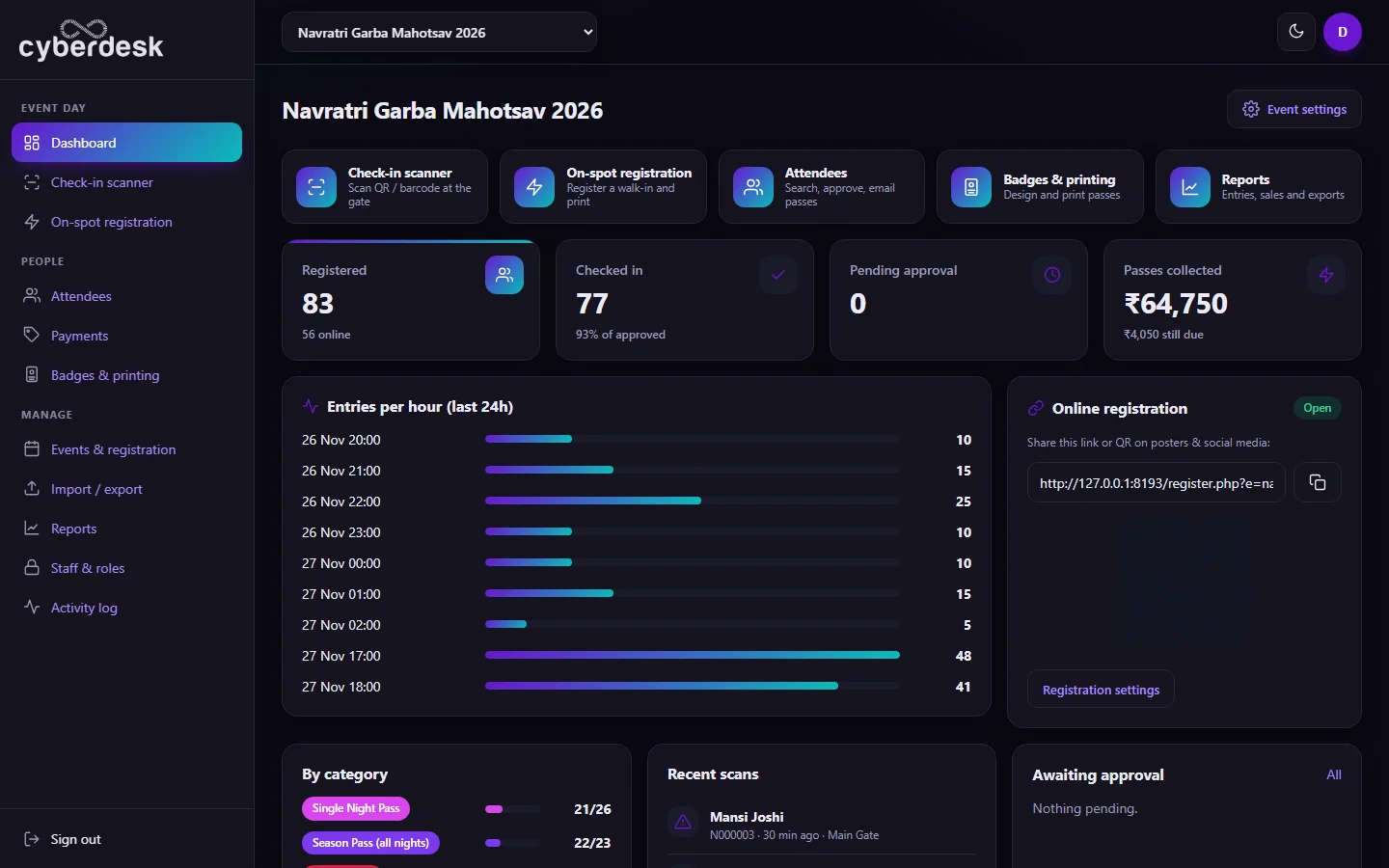
Know what is happening at your gate, right now.
During the event the dashboard answers the questions the organiser keeps asking: how many registered, how many are in, what is waiting for approval and how much has been collected. The registration link and QR code to share are on the same screen.
- Registered, checked-in, pending approval and pass collection at a glance
- Entries per hour for the last 24 hours
- Online registration link and QR to share on posters and social media
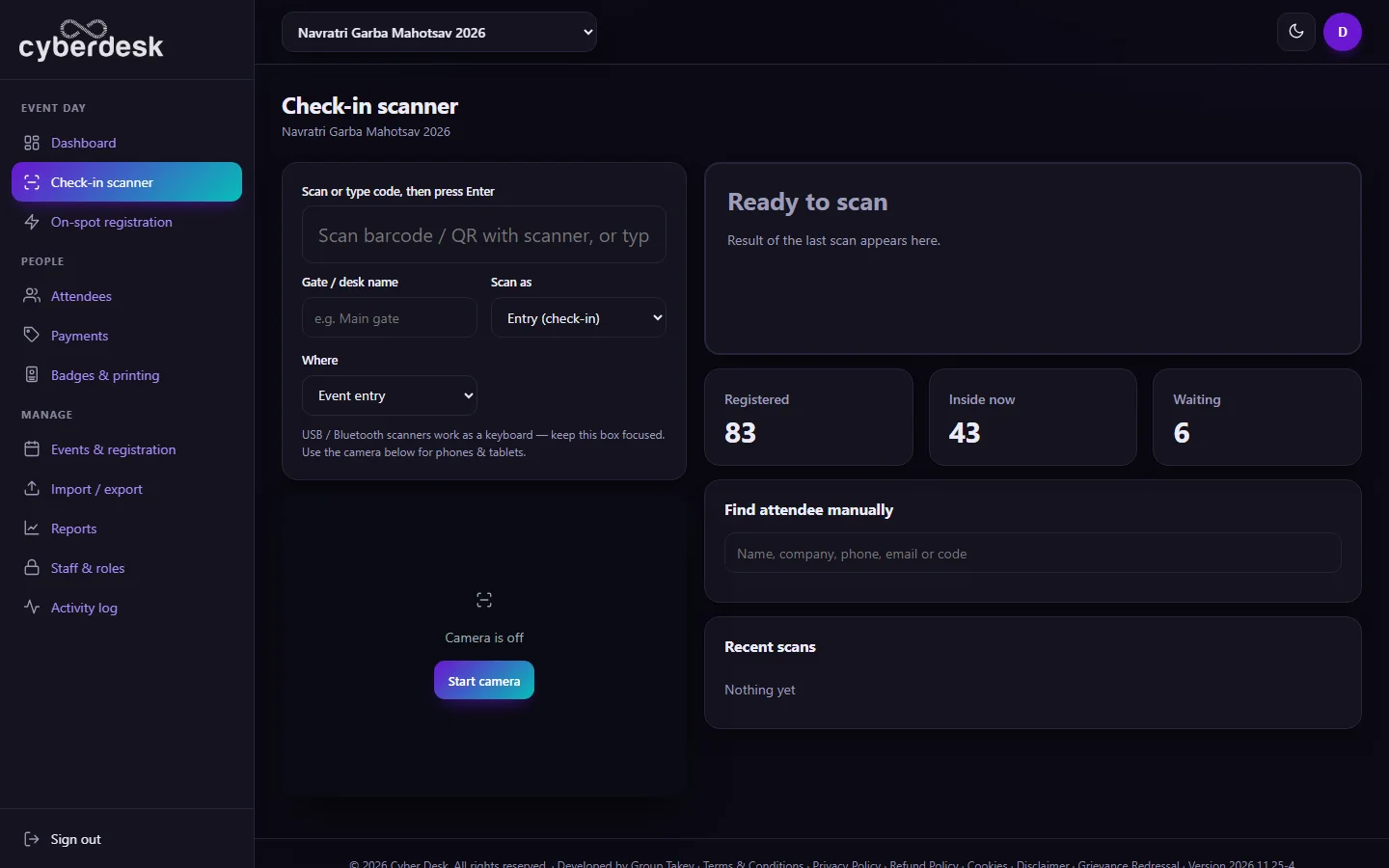
Scan, and the gate knows in a moment.
Gate staff scan the pass with a USB or Bluetooth scanner, or simply with a phone camera. Entry and exit are recorded for each gate, the live counts update as people move, and a visitor without their pass can be found by name or phone.
- USB or Bluetooth scanner, or the camera of a phone or tablet
- Entry and exit scanning for each gate or desk
- Live registered, inside-now and waiting counts
- Find an attendee by name, company, phone, e-mail or code
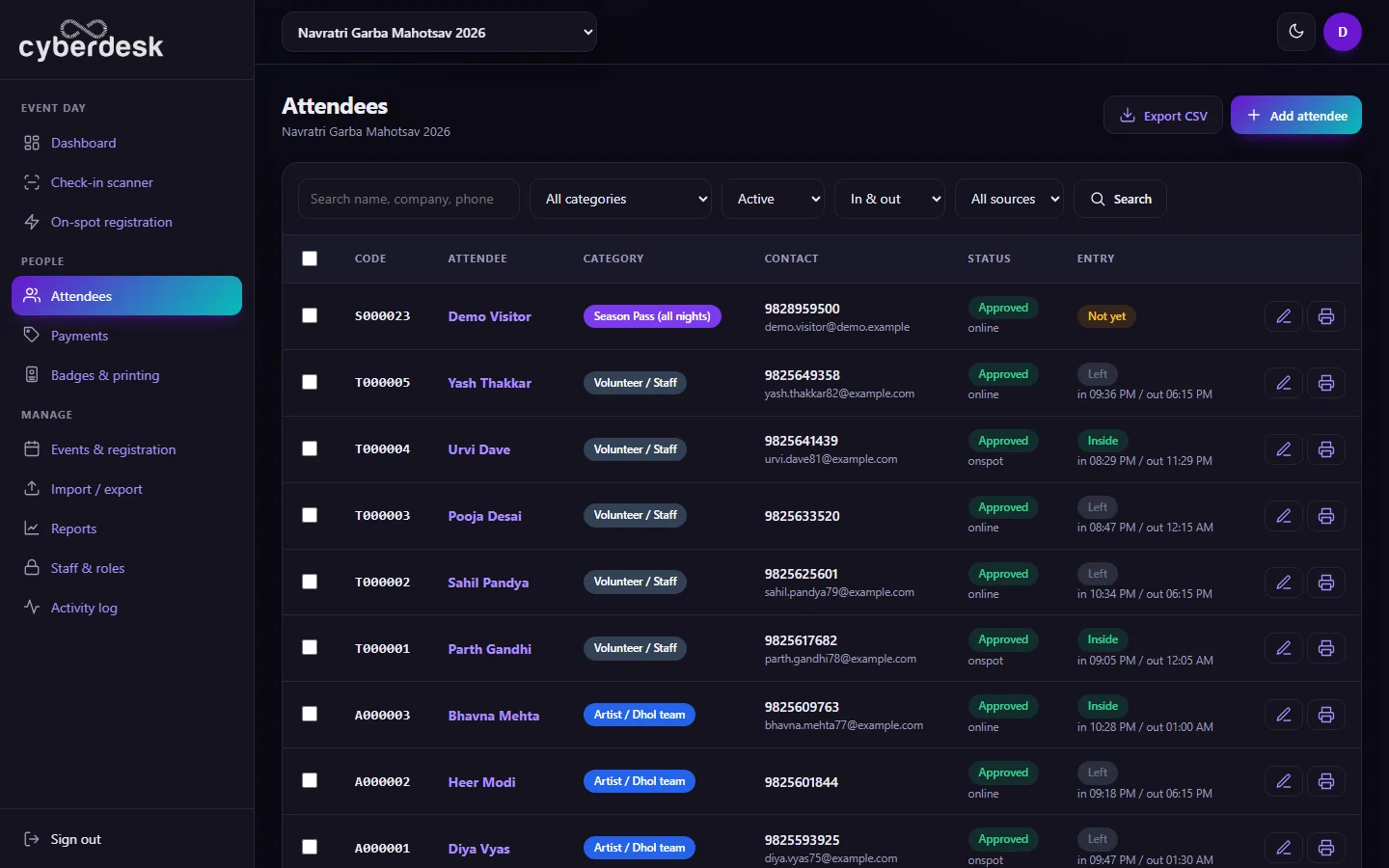
Every visitor in one searchable list.
All registrations, online and at the desk, sit in one list. Narrow it by category, status or source, correct a detail, approve an entry, print a pass, or move the data in and out as CSV.
- Filter by category, status and source
- Approve, edit and print passes
- Import and export as CSV
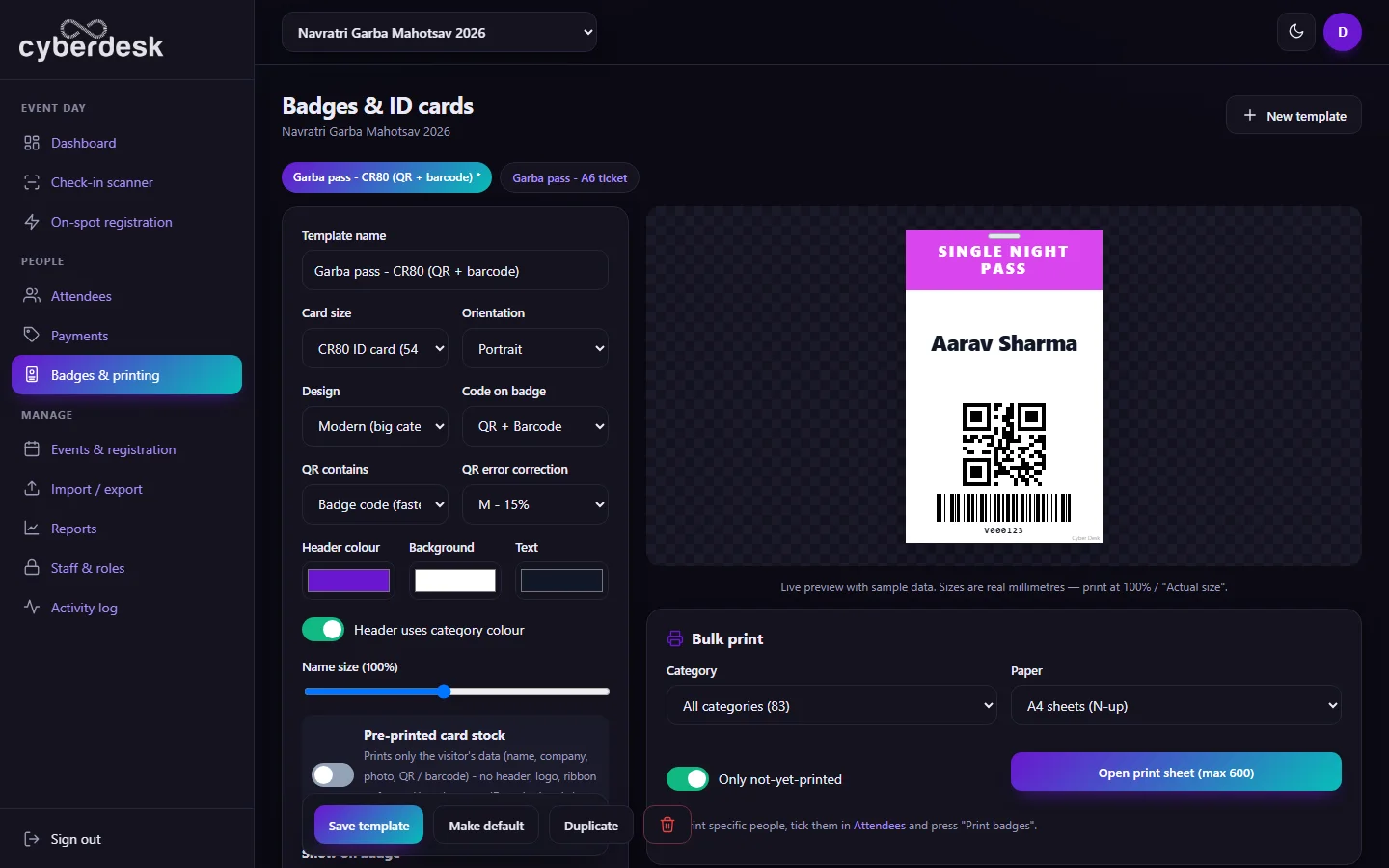
Design the pass, then print it in bulk.
Set the size, colours and fields of the pass and watch the preview change as you work. When it looks right, print passes in bulk on A4 sheets or onto cards you have already had printed.
- ID card and A6 ticket templates with QR and barcode
- Live preview while you design
- Bulk print on A4 sheets, or on pre-printed card stock
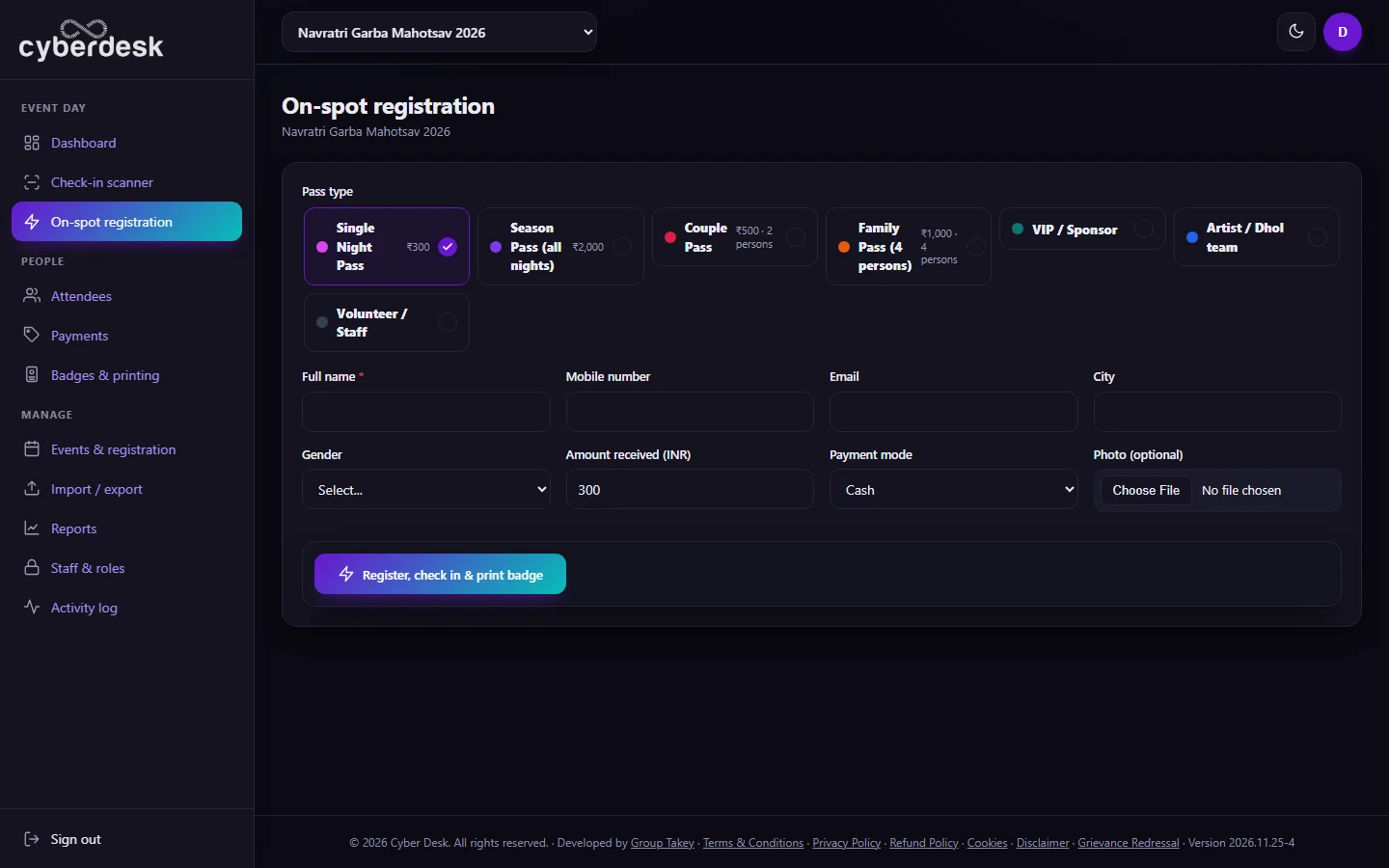
Walk-ins registered and printed at the counter.
Walk-in visitors should not hold up the queue. The counter picks the pass type, notes the payment, and registers, checks in and prints the badge in a single step.
- Choose the pass type with its price
- Record cash and other payment modes
- Register, check in and print the badge in one step
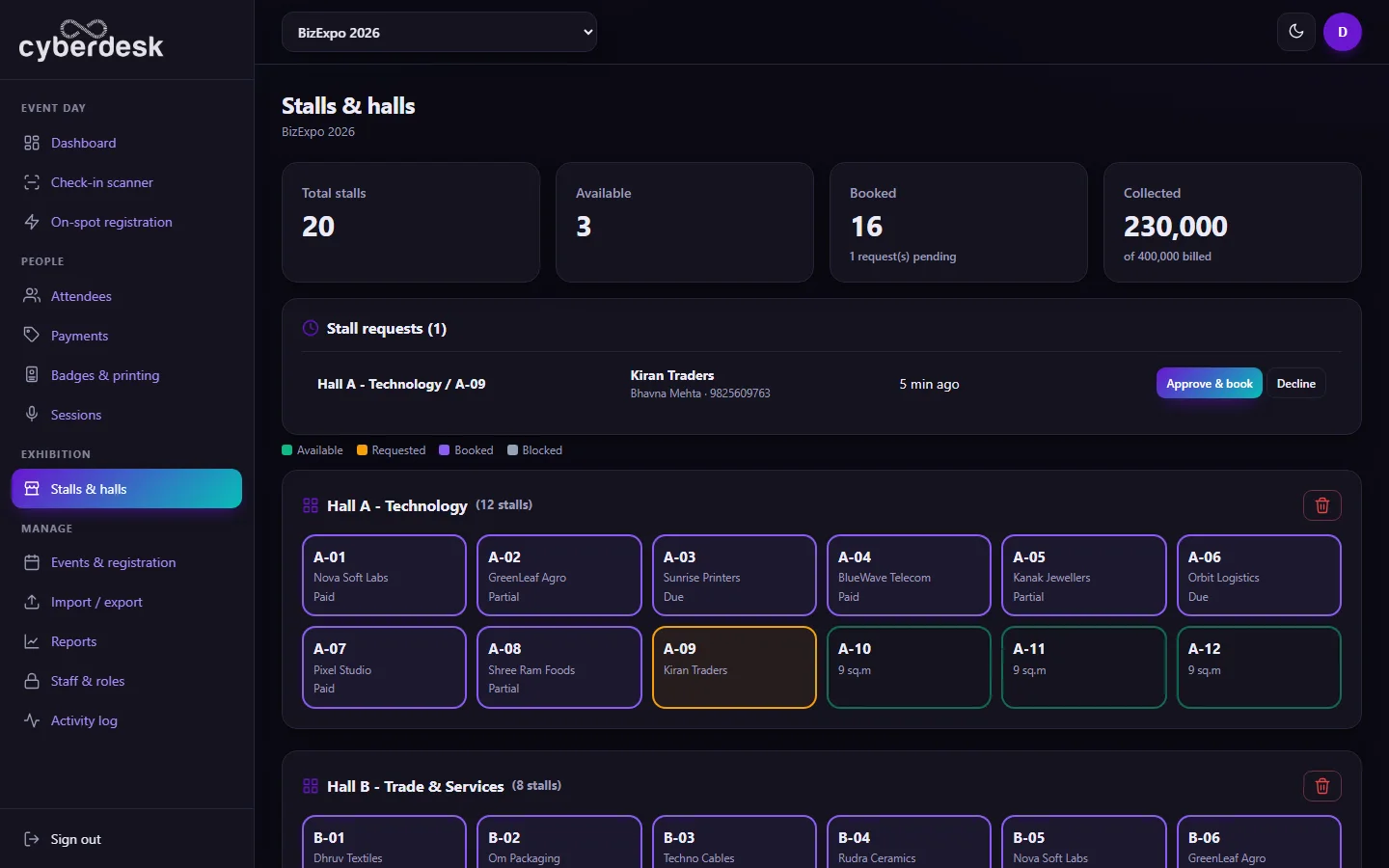
See every stall, booked or free.
For exhibitions, each hall is shown stall by stall so you can see what is still free. Requests from exhibitors are approved here, and the booked and collected amounts stay visible.
- Hall-wise stall map with availability
- Approve stall requests from exhibitors
- Booked and collected amounts for the exhibition
Sales, entries and attendance, ready to export.
After the gates close, sales and collections are ready by pass type, payment mode and day. Export the attendee list and the scan log as CSV for the organiser or sponsor.
- Pass sales and collection by pass type and payment mode
- Collection by day
- Attendee and scan-log CSV export
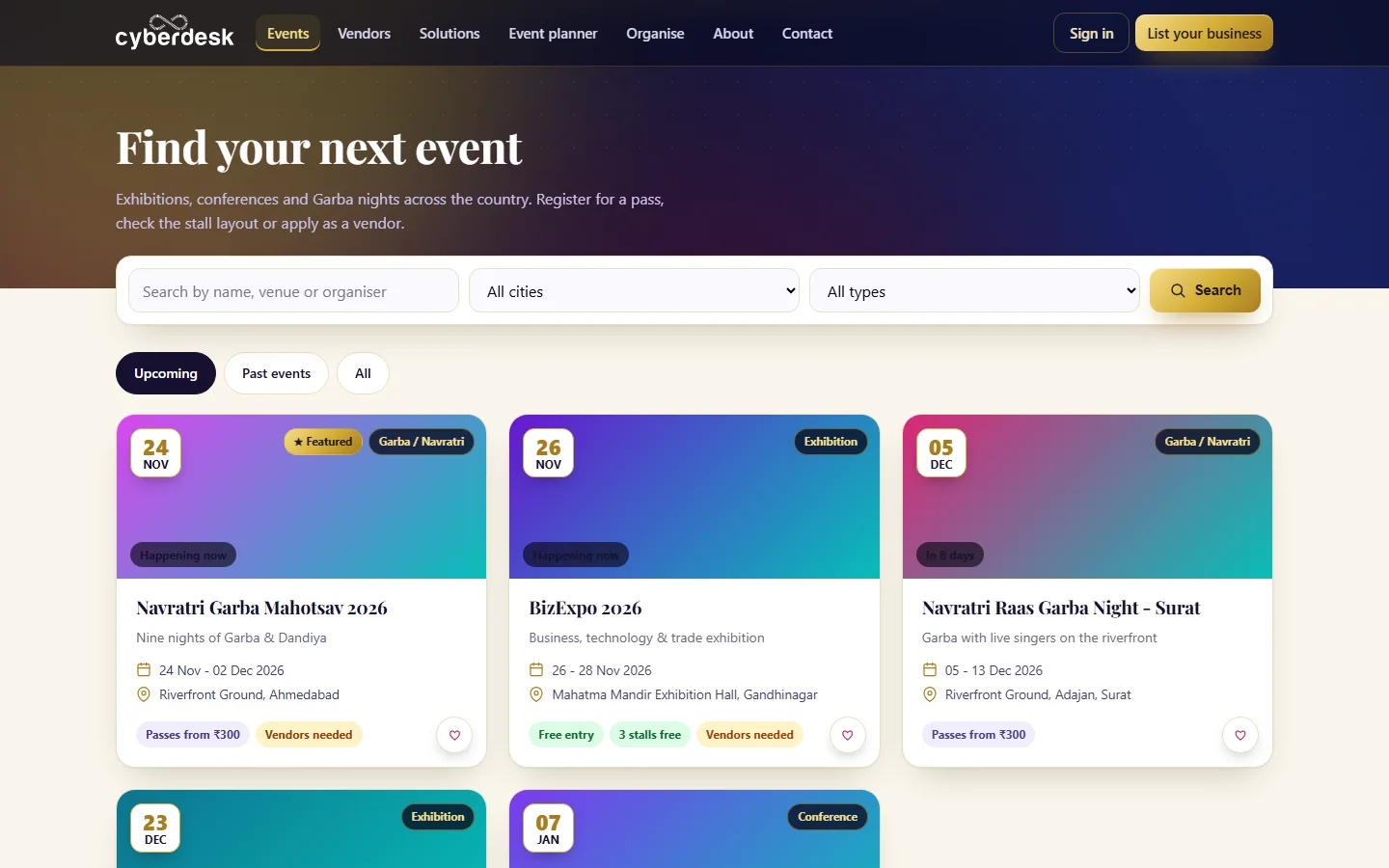
Visitors find your event and register themselves.
Your event gets a public page where visitors can find it and register for a pass themselves. Vendors can see which events are looking for them and apply.
- Event listing with city and type search
- Pass registration from the event page
- Vendors can apply for events that need them
Everything around your event
Pass types
Single night, season, couple, family, VIP, artist and volunteer passes.
Online fee collection
Connect your own Razorpay or Cashfree account, or UPI.
Sessions & workshops
Add talks and scan attendees into each of them.
Staff & roles
Admin, event manager, desk staff and exhibitor logins.
New edition in one step
Copy last year's categories, form, badges and stalls.
Activity log
See who did what at the desk.
Vendor listings
Vendors list their business and apply for events.
Light & dark
A clear screen at the counter, day or night.
Live in three steps
Create your event
Add dates, venue, pass types and the registration form.
Open registration
Share the link or QR, approve entries and design the pass.
Run the gate
Print passes, scan entry and exit and watch the live numbers.
Have an event coming up?
Book a free demo and see Cyber Desk running your registration desk.
Cyber Desk for Indian businesses
Our products were built in India for Indian workflows: GST invoices, UPI collections, Indian school, hospital and society processes. You get local onboarding, Hindi/Gujarati-speaking support and data kept under your control.
Group Takey is an Ahmedabad-headquartered IT company. From our Ashram Road office we build websites and apps, run SEO and social media campaigns, install CCTV and networks, and ship our own cloud software for businesses across Gujarat and the rest of India. You deal with one team for strategy, delivery and support.
Frequently asked questions
Can businesses in India use this software?
Yes. It is cloud based, so teams in Ahmedabad, Gandhinagar or anywhere else in India sign in from a browser. Invoices and reports can be exported for your accountant and GST filings.
Is onboarding and support available in India hours?
We run onboarding sessions in IST and support by phone (+91 7573 998 899), WhatsApp and email, backed by our head office on Ashram Road, Ahmedabad.
Who owns our data?
You do. Data stays under your account, can be exported at any time and is protected with role-based access and regular backups, in line with Indian IT and data-protection rules.
Group Takey also serves: United States · United Kingdom · United Arab Emirates · Australia · Canada · New Zealand · Oman · International